
Having an idea for your app is great, but when it comes to development, many ideas never become reality. As a startup or entrepreneur with minimal funds, app development may drain the budget.
The biggest mistake a lot of startups and entrepreneurs make is spending each and every bit of the funds to develop an app. This is true regardless of whether the problem exists or not, or whether the customers are willing to pay for it. App idea validation will help you find the answer to the question of whether the app is worth investing time and money in or not.
Instead of spending valuable time and money on building an app in the hope that people will use it, you can validate your concept. The idea is to ensure that the idea is worth the investment or not. It also helps in knowing what customers think of it, what more do they need, and how much in demand the app will be.
In this post, we are going to learn about how to validate your app idea step by step before launching a full-fledged app. But before that, let’s take a brief overview of what app validation is all about.
What is App Validation?
App validation is the process of testing and evaluating a mobile app idea before investing significant time and money into full development. Its purpose is to determine whether the app solves a real problem, has a clear target audience, and has enough potential demand to become a viable product.
For businesses, startups, and retailers, app validation helps answer an important question:
Is this app worth building?
Why Validate Your App Idea?
App development requires a substantial amount of investment in design, marketing, infrastructure, and ongoing maintenance. The purpose of app validation is to mitigate loss by not investing heavily in a product that no one needs.
The purpose of app validation is to help you in various ways. Here are some of the reasons why you should validate your app idea and gain maximum benefit.
Confirm that a genuine customer problem exists: Validation helps determine whether the problem is real and important enough for customers to seek a solution.
Identify your most valuable target audience: The purpose of app validation is to understand which group of customers is interested in your app.
Understand what customers actually want: By collecting feedback, you can learn customers’ needs, preferences, and expectations.
Discover existing competitors and alternatives: App validation helps in identifying the current solutions offered by competitors.
Test whether people are willing to pay: It shows whether customers see enough value in your app to spend money on it.
Identify the features that matter most: Customer feedback helps you prioritize essential features and avoid unnecessary ones.
Improve your business model: Validation provides insights that can help you refine your pricing, revenue model, and overall strategy.
Avoid unnecessary development costs: Testing the idea early prevents you from spending time and money building an app that people may not need.
Build a stronger MVP: Validation helps you create a Minimum Viable Product focused on the features customers value most.
Make better investment decisions: Reliable validation data helps you decide whether to invest more resources in developing and launching the app.
The goal isn’t to prove that your idea is perfect. The goal is to discover whether there is enough evidence to justify building it.
Step-by-Step: How to Validate an App Idea?
When it comes to app validation, there are several steps involved to help you determine whether you are investing in the right idea. Here is a step-by-step guide on how to validate an app idea.
Clearly Define Your App Idea
Start by writing down exactly what your app will do. Describe the app in one or two clear sentences, focusing on the problem it intends to solve and the primary action users will take. Avoid describing every possible feature at this stage.
Identify Your Target Users
Next, determine exactly who would use your app. Avoid defining your audience too broadly. Everyone with a smartphone” is not a useful target audience because different users have different needs, behaviors, and purchasing decisions.
Create a basic user profile that includes age range, relevant interests, current problems, and reasons they might need your app.
The more specific your target user is, the easier it becomes to validate whether your app addresses a genuine need.
Define the Problem You Are Validating
Write down the pain point of your target audience and how your app will solve it.
The distinction is important because app validation should first determine whether the problem exists and matters to users. You should not assume that your proposed solution is automatically
Research Existing Solutions
Search for apps, websites, software, and manual methods that already address the same problem. Look at both direct competitors and alternative solutions. Your potential users may already be solving the problem with another app, a spreadsheet, email, paper notes, or a completely different process. For each existing solution, examine:
- What it helps users accomplish
- Who uses it
- Its main features
- Common complaints
- Positive user feedback
- Pricing
- Ratings and reviews
Talk to Potential Users
Speak directly with people who match your target audience. Ask questions about their existing behavior rather than immediately asking whether they like your app idea.
Some of the questions to ask include:
- How do you currently handle this problem?
- How often do you encounter it?
- What is the most frustrating part?
- What tools do you currently use?
- What do you dislike about those tools?
- How much time does the problem cost you?
- Have you previously paid for a solution?
- What happens if you do nothing about the problem?
Build a Simple Landing Page
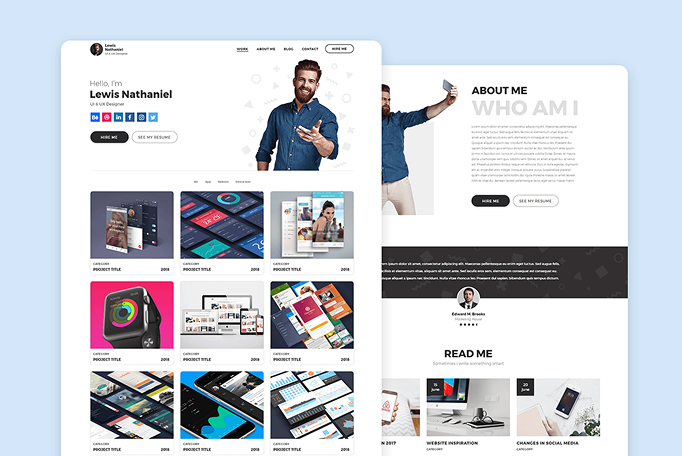
Create a basic landing page that explains the app’s core value proposition. The page does not need to contain every planned feature. Focus on the primary problem and proposed solution.
A simple landing page can include:
- A clear headline
- A short explanation of the problem
- The main benefit of the app
- A brief explanation of how it works
- A call-to-action
- A signup or waitlist form
The purpose is to measure whether your target audience takes action when presented with your proposed solution.
Test User Interest
Send relevant potential users to your landing page and measure their actions.
Track the behavior of the visitors for the following:
- Page visits
- Signup rate
- Waitlist registrations
- Call-to-action clicks
- Demo requests
- Trial requests
- Responses to follow-up messages
Do not focus only on traffic volume. A large number of visitors is less meaningful if very few relevant users take the desired action.
Build a Minimum Viable Prototype
Once you have determined the app idea is worth working on, create a simple prototype containing the essential user flow. It should demonstrate the core experience, rather than building a complete application.
For instance, if the app is designed to help users book appointments, the prototype might include:
- Selecting a service.
- Choosing a date.
- Selecting a time.
- Confirming the appointment.
You do not need to build every account setting, notification, integration, or secondary feature at this stage. The purpose of the prototype is to test whether users can understand and complete the core workflow.
Test the Prototype With Target Users
Give the prototype to your target audience and observe their actions. For instance, imagine you need to book an appointment for next Tuesday. Show me how you would do it.
Instead of explaining every step, give users a specific task and observe what they do.
- Where users hesitate
- Features they cannot find
- Steps they misunderstand
- Questions they ask
- Tasks they complete successfully
- Tasks they abandon
- Feedback they provide without prompting
Analyze the Validation Results
Sum up your findings in one place and compare them with your assumptions. Look for patterns rather than relying on one person’s opinion.
You may ask:
- Did users consistently experience the problem?
- How frequently did they experience it?
- Are they dissatisfied with existing solutions?
- Did they understand the proposed solution?
- Did they use the prototype successfully?
- Did they take the desired action?
- What objections appeared repeatedly?
- Which features did users consider essential?
Make the Final Validation Decision
After completing your tests, make sure to compare the evidence with your original hypothesis.
If the evidence consistently shows that:
- The target audience experiences the problem,
- The problem is important enough to solve,
- Existing solutions leave meaningful gaps,
- Users understand your proposed solution,
- Users successfully use the core workflow, and
- Users are willing to take meaningful action,
If the answers to the aforementioned questions are positive, you have stronger evidence that your app concept has been validated. If the evidence does not support these assumptions, identify which part failed and revise that part before continuing.
Summing Up
Validating an app step by step helps you test your idea before investing significant time and resources into development. Start by defining the problem and target users, research existing solutions, talk to potential users, and test your concept with a landing page and prototype. Thereafter, measure real user actions, analyze the results, make improvements, and repeat the process.
By following these steps, you can replace assumptions with real user feedback and build an app based on evidence rather than guesswork.

We drive targeted traffic and conversions using data-driven digital marketing strategies.
We design scalable, user-focused websites aligned with your business goals and growth.
We build fast, secure, and fully customized web solutions tailored to your needs.
Develop fast, secure, and fully customizable WordPress websites that align with your brand and deliver a seamless experience across all devices.